by sefali | Oct 19, 2020 | Blog
Have you ever felt constricted by the traditional, framed whiteboards, typically found on the walls of classrooms, offices, and conference rooms? If you’re looking to add a dash of modernity and boundless creativity to your space, it’s time you turned your wall into a whiteboard. In this how to turn a wall into a whiteboard guide, we’ll explore the reasons to make this transformation, dive deep into the how-to’s, and answer some of your most pressing questions about turning a wall into a whiteboard.
Why Turn Your Wall Into a Whiteboard?
1. An Array of Choices Tailored to Your Needs
One of the best aspects when thinking about how to turn a wall into a whiteboard is the wide range of products available for every requirement and aesthetic.
What Paint Allows You to Write on Walls?
Two whiteboard paint products you should consider when looking at how to turn a wall into a whiteboard are Matte Whiteboard Paint and Smart Whiteboard Paint. Matte Whiteboard Paint offers a unique, matte finish that also improves light reflectivity, making it ideal for environments where projectors or screens are often used. On the other hand, Smart Whiteboard Paint has garnered numerous awards for its commercial-grade quality and comes with a complete kit for DIYers.
2. Ease of Application
Many people are intimidated by just thinking of how to turn a wall into a whiteboard. However, you’ll be pleasantly surprised to discover if consider how to turn a wall into a whiteboard, that it’s a straightforward application process. Whether you’re a DIY enthusiast or professional installer, there’s a solution that matches your comfort level and skill set.
How do you make walls writable?
If you’re wondering how to apply dry erase paint on walls, it’s a straightforward process, especially with the step-by-step guides provided with our whiteboard paints and wallpapers. Matte Whiteboard Paint, for instance, can be applied like any standard paint and can be used within four days. Smart Whiteboard Paint’s all-inclusive kit ensures that even first-timers can transform a wall into a dry erase canvas. For larger projects, our Whiteboard Wallpaper is still very easy to apply.
3. No More Size Restrictions
Gone are the days when you had to curb your ideas to fit within the confines of a traditional whiteboard. Traditional whiteboards often come with a limiting factor their size. No matter how expansive your ideas or how large your team, you find yourself restricted by the physical dimensions of the board. With limited space, only one person can effectively write or draw at a given time, and larger brainstorming sessions become a jumbled, chaotic experience.
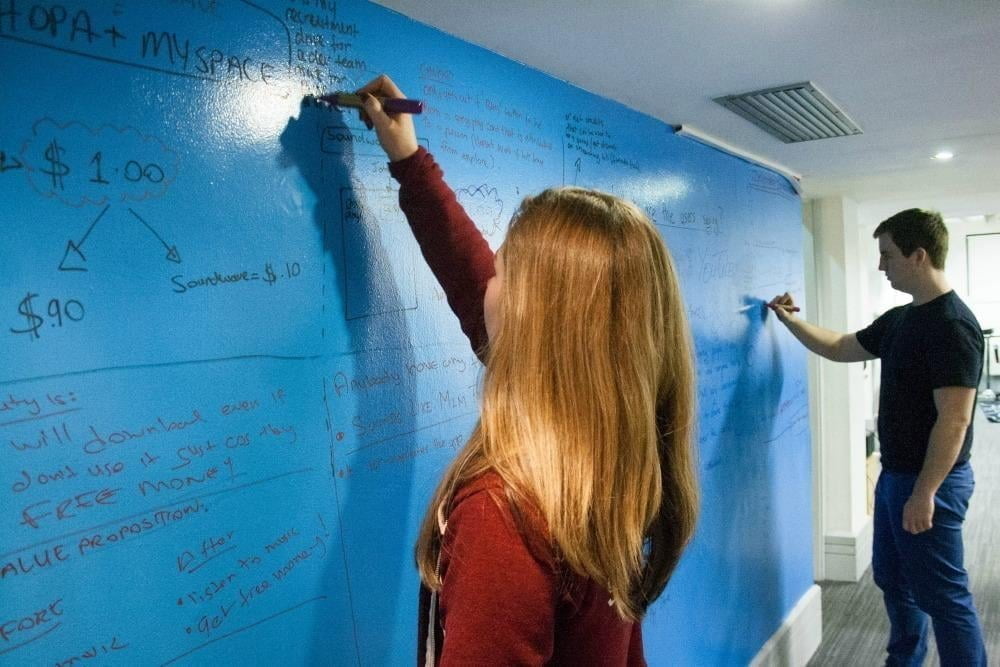
When you think about how to turn a wall into a whiteboard, size limitations are completely shattered. Imagine an entire wall in your office, conference room, or classroom transformed into a sprawling canvas for ideas. Here, multiple people can collaborate simultaneously, whether you’re conducting a SWOT analysis on one corner, sketching product designs in another, or setting quarterly goals and KPIs across the top. There is room for everything and everyone.

A wall-sized whiteboard opens the door for more dynamic and interactive presentations and lessons, offering a solution for those wondering how to turn a wall into a whiteboard. Educators can use the added real estate to display more information simultaneously, aiding in visual learning and allowing for a more holistic approach to teaching. Similarly, business presentations can benefit from a much larger ‘slide space,’ where multiple points or ideas can be displayed collectively, offering a clearer, more comprehensive view of strategies or data analyses.
By eliminating the need for everyone to huddle around a small board or constantly erase valuable information to make room for new ideas, a whiteboard wall allows for a more fluid, interactive, and ultimately productive experience.
4. Ghosting is a Thing of the Past
One of the most common and frustrating issues is “ghosting.” However, when you learn how to turn a wall into a whiteboard using high-quality products, ghosting becomes a thing of the past. Ghosting refers to the lingering marks or smudges that remain on the surface after erasing, giving the whiteboard a dirty and unprofessional appearance. This issue often makes you spend extra time and effort in cleaning, which can be quite annoying, especially in a fast-paced work or educational environment where time is of the essence.
However, when you turn your wall into a whiteboard using high-quality products like Smart Whiteboard Paint or Matte Whiteboard Paint, ghosting becomes a thing of the past. These products are designed with advanced technology that resists ghosting, offering you a crisp, clean surface every time you erase.
Does Dry Erase Come Off Walls?
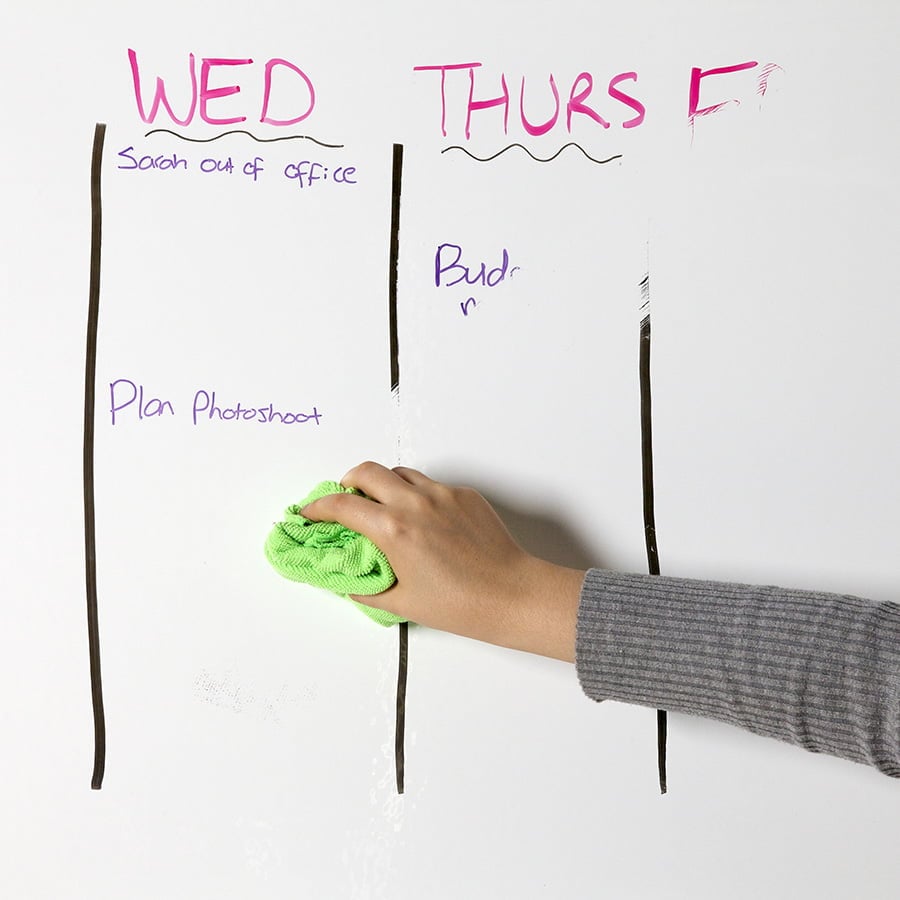
When you use high-quality whiteboard paints like Smart Whiteboard Paint or Matte Whiteboard Paint, erasing is a breeze. No ghosting, no smudging; your wall remains as pristine as ever.
5. Limitless Color Choices
Traditional whiteboards are, as the name suggests, predominantly white. This limitation doesn’t give room for aesthetic creativity or integration with room themes and decors. However, if you are think about how to turn a wall into a whiteboard there are many of color possibilities, allowing you to truly customize your space according to your personal or corporate brand, rather than just a white whiteboard.
Transparent whiteboard paint is a ground breaking product that lets you have the best of both worlds. With transparent paint, your chosen wall color shows through, allowing you to maintain the wall’s original look while adding the functionality of a dry erase surface. This is an excellent option for those who have textured or patterned walls that they don’t want to cover entirely.
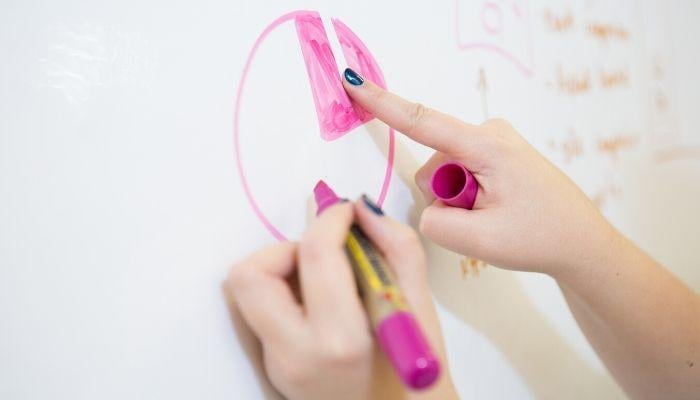
How to Turn a Wall into a Whiteboard: Choosing Between Whiteboard Paint and Whiteboard Wallpaper
When planning on how to turn a wall into a whiteboard, one of the first decisions to make is whether to go with whiteboard paint or whiteboard wallpaper. Each has its unique set of advantages and drawbacks, so it’s crucial to make an informed choice.

Whiteboard Paint
Pros:
- Seamless Integration: One of the most significant benefits of using whiteboard paint is that it blends perfectly with your existing wall, offering a seamless writing surface.
- Color Options: With transparent whiteboard paint, you can maintain your wall’s original color or even try a new hue before applying the dry-erase layer.
Cons:
- Drying Time: Whiteboard paint needs to cure for four days, which means you’ll have to wait a bit before you can start using your new writing surface.

Whiteboard Wallpaper
Pros:
- Quick Installation: Whiteboard wallpapers like Smart Whiteboard Wallpaper are usually ready to use 24 hours after application.
- Finish Options: Wallpapers come in various finishes like low sheen or matte, offering you more aesthetic choices and projectability too.
Cons:
- Professional Installation: Installing wallpaper might require professional help, particularly if you’re covering a large area.
How To Turn A Wall Into A Whiteboard with Whiteboard Paint: Step-By-Step Guide
Before turning your wall into a whiteboard, you’ll need to pick up some Matte Whiteboard Paint, Smart Whiteboard Paint, or Clear Whiteboard Paint. Then follow the How To Turn A Wall Into A Whiteboard Guide below.
Step 1: Choose Your Surface and Measure the Area
Firstly, decide which wall or portion of a wall you’d like to transform. Measure the area to determine how much whiteboard paint or wallpaper you’ll need.
Step 2: Prepare the Wall and Area
Preparation is key. Ensure the wall is clean and smooth. Patch any holes and sand the surface if needed. Cover any surfaces not being painted.
Step 3: Mask the Wall
Using masking tape, mask the area you want to paint.
Step 4: Apply Primer
Most high-quality whiteboard paints require a primer to give you that smooth finish, like our Smart White Primer. Apply this as you would standard paint and let it dry before applying the whiteboard paint.
Step 5: Apply Whiteboard Paint or Wallpaper
Once the primer is dry, it’s time to transform your wall into a whiteboard. Follow the specific instructions for your chosen product.
Step 6: Dry and Test
Allow the surface to dry for the recommended time before you start writing or drawing on it.
How To Turn A Wall Into A Whiteboard with Whiteboard Wallpaper: Step by Step Guide
When looking at how to turn a wall into a whiteboard with wallpaper you will want to choose one of the wall coverings from our functional wallpaper range.
Step 1: Preparing the Wall
- Lay down protective plastic on the floor.
- Fill any holes or cracks in the wall.
- Remove old wallpapers and sand down uneven surfaces.
- Apply a primer like Smart White Primer to prep the wall.
Step 2: Measuring and Marking
- Plan for horizontal application.
- Draw a level line 1.22m off the floor as a guide.
Step 3: Cutting the Wallpaper
- Roll out wallpaper on the protected floor.
- Cut it to the desired length.
Step 4: Applying Adhesive
- If needed, dilute the ready-mixed heavy-duty adhesive with 10% water.
- Apply two coats to the wall using a roller.
Step 5: Installing the Wallpaper
- Roll up the cut section, paper side out.
- Align the bottom edge with the 1.22m guide line and roll out horizontally.
- Use a wallpaper spatula to smooth out bubbles and excess adhesive.
Step 6: Butt Jointing for Next Lengths
- Align the next section just beneath or above the first.
- Work the joints together using a wallpaper spatula.
- Add extra adhesive if necessary.
Step 7: Overlap and Double Cut Method
- Overlap the new section by 2-3 cm.
- Cut along the middle of the overlap.
- Remove excess material and smooth with a spatula.
Step 8: Final Touches
- Wipe off excess adhesive with a damp cloth.
- Wait for 24 hours before using the wallpaper.
Step 9: Inspection
- Inspect for bubbles after 30 minutes.
- Use a spatula to smooth out any imperfections.
Maintenance Tips for Your Whiteboard Wall
Once you’ve successfully followed the steps in our How to Turn a Wall into a Whiteboard guide, it’s essential to maintain it properly to ensure its longevity and usability. Here are some tips:
1. Use High-Quality Markers
Always use markers specifically designed for dry erase boards. Low-quality markers can leave permanent stains and compromise the surface.
2. Regular Cleaning
Perform routine cleaning using specialized whiteboard cleaners to remove any residual ink or dust.
3. Avoid Abrasives
Never use abrasive cleaners or scouring pads, as they can scratch and damage the surface.
4. Replace Markers Regularly
Old or dried-up markers can be harder to erase, leading to ghosting over time. Make sure to replace your markers regularly.
Practical Applications of a Whiteboard Wall in Different Sectors
Educational Institutions
If you’ve followed our guide on how to turn a wall into a whiteboard, you can leverage whiteboard walls to create dynamic learning environments. For example, a teacher can use the expansive surface for collaborative projects, fostering collaboration and creativity among students.
Business Settings
From startup brainstorming sessions to corporate strategy meetings, a whiteboard wall can be a game-changer. It provides ample space for laying out complex plans or models, enabling a more interactive and productive discussion.
Creative Studios
Whether you’re an artist, designer, or architect, having an entire wall to doodle, sketch, or plan can significantly benefit your creative process. All you have to do is follow our steps on how to turn a wall into a whiteboard first.
Home Use
If you’re a family considering how to turn a wall into a whiteboard, it can serve multiple purposes—from a space for kids to unleash their creativity to a family planning board.
Unlock the Power of Creativity
Turning a wall into a whiteboard is not just a trendy fad but a functional, practical, and innovative solution to many limitations presented by traditional boards. With various products to choose from and an array of applications across different sectors, there has never been a better time to embrace this transformation. So if you’ve been contemplating how to turn a wall into a whiteboard, there has never been a better time to embrace this transformation.

by sefali | Oct 19, 2020 | Blog
When you’ve decided to bring the cinematic experience into your home or office, many elements come into play. From the type of projector to the projector screen, every component matters. One aspect that often gets overlooked is the projector screen border. But why is it so crucial, and how can it enhance your viewing experience?

Whether you’re setting up a home theater or enhancing your meeting room, a projector screen border can make a big difference. In this comprehensive guide, we’ll delve into everything you need to know about a projector screen border, including its purpose, types, and ideas for making it visually appealing. We will also touch upon a trendy alternative for projector screens—projector paint—and how you can create a border around it.
Does a Projector Screen Need a Border?
The short answer is no, you don’t absolutely need a projector screen border. In our office, one entire wall serves as a projector wall without any border thanks to our projection wallpaper. That said, a projector screen border offers significant benefits that enhance your viewing experience. It absorbs any light that spills outside of the screen area, helping you in situations where you can’t perfectly align the projected image. Another benefit is the visual enhancement; the contrast between a white screen and a darker border can make images stand out more clearly. This leads us to the question…
Why Do Projector Screens Have a Black Border?
Technically, projector screen borders can be of any color, but black is often preferred due to the Bartleson-Breneman Effect. This phenomenon affects the perceived contrast among areas of different value within an image when the image is viewed against a light or dark background. Simply put, a black projector screen border improves your eye’s ability to process the image by providing a reference point. This, in turn, enhances the image’s contrast, making it appear brighter and more colorful.
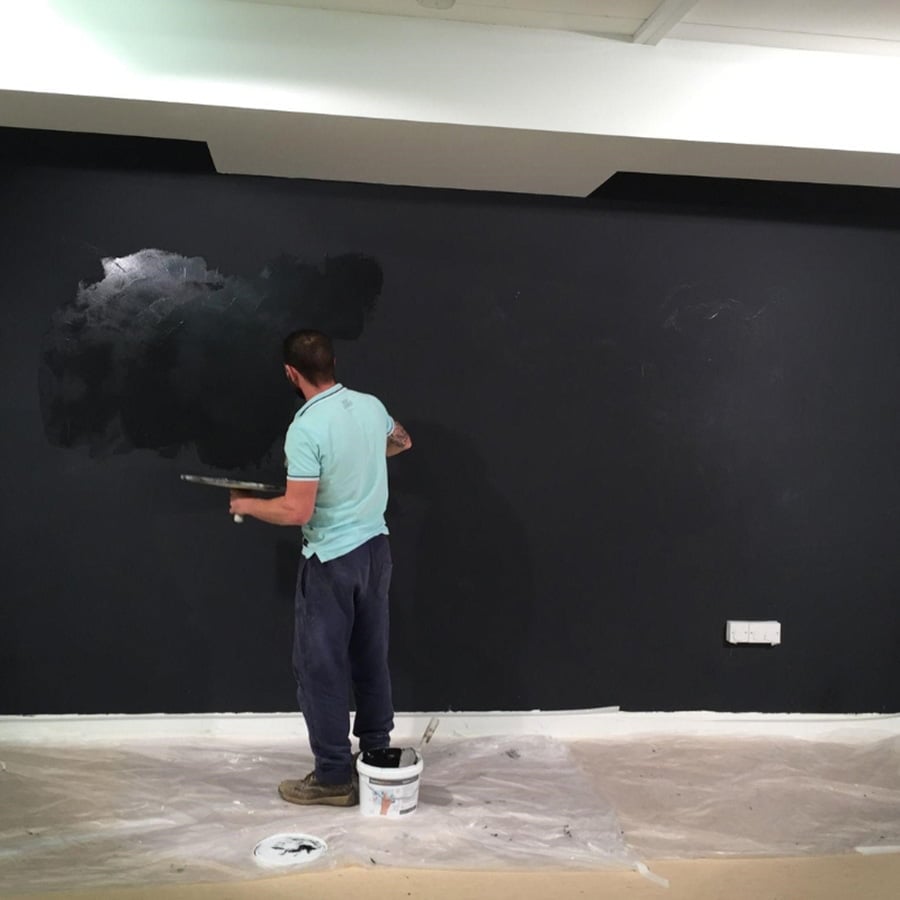
If you’re using a specialized paint like Black Projector Screen Paint, your projector screen border can work in conjunction with the enhanced image contrast feature of this paint. The Black Projector Screen Paint absorbs ambient light, thus improving image contrast even further.
The Aesthetics: More Than Just a Frame
At first glance, a projector screen border may seem purely cosmetic, but it serves a higher purpose. It acts as a frame that accentuates the projected image, focusing your attention where it should be: on the screen. Think of it as the frame around a painting; it brings the entire picture into perspective.
Can You Frame a Projector Screen?
Absolutely, framing a projector screen is not only possible but also a popular choice among home theater enthusiasts. A frame around your projector screen border gives it a finished, professional look, almost like a giant cinematic canvas hanging on your wall.
You can choose from a variety of materials like wood or metals for your frame, depending on the aesthetics of the room. The type of border—be it velvet or plastic—also impacts your decision. Velvet surfaces have near-zero reflectivity, while well-made plastic frames minimize reflection.
How to Make Your Projector Screen Look Good: Projector Screen Border Ideas
When it comes to projector screen border ideas, you’re only limited by your creativity. Projector paint is a fantastic alternative to traditional projector screens. It’s a clean, hole-free solution to create a functional wall. To make your projector wall pop, consider using one of the projector paints in our range, and painting a boarder. If you have a high lumen projector you can apply High Contrast Projector Screen Paint or Black Projector Screen Paint and the boarder will be ready to use with the projector screen.
How to Create a Projector Screen Border
Creating your own projector screen can be a rewarding experience. Not only do you get the exact size and finish you desire, but you also have the option to add a customized projector screen border. Below is a step-by-step guide to help you create a projector screen and a black border, enhancing both the aesthetic appeal and the functionality of your DIY screen.
Step 1: Cleaning
All surfaces to be painted should be clean, dry, and free from loose materials.
Step 2: Mark the Dimensions
Measure the area you wish to paint and mark it using masking tape. The maximum dimensions our projector paints will cover is 109.8” x 61.8”. Want a bigger screen? Just add another tin.
Step 3: Priming
Apply two coats of Smart White Primer
Step 4: Sanding
Lightly sand the surface before each coat of primer to ensure a smooth finish.
Step 5: Drying Time
Allow the primer to fully dry (approx. 2-4 hours at 20°) and ensure the surface is smooth.
Step 6: Stir the Projector Paint
Stir the projector paint thoroughly before use.
Step 7: Application
For best results, apply the paint using a mohair or lint-free short pile roller sleeve.
Step 8: Coating
Apply the number of coats depending on the projector paint you’ve purchased, allowing the previous coat to dry before applying the next coat (approx. 2-4 hours at 20°).
Step 9: Mark the Lines for the Border
Once the projector paint is dry, outline your projector screen border with a pencil. Use tape to mark the area. This will define the size and shape of your projector screen border. If you’ve applied High Contrast Projector Screen Paint or Black Projector Screen Paint, your projector screen border is already painted, just reduce the projection size slightly and it will be framed.
Step 10: Choose Your Shape and Color
While a traditional rectangular projector screen border is the go-to option for most, feel free to get creative. You can opt for unique shapes or even incorporate a color that complements your room décor or brand logo. Opt for a black paint that complements your projector screen. A black projector screen border enhances the Bartleson-Breneman Effect, improving your viewing experience.
Step 11: Mask the Border
Tape off the area for the boarder. You will want it to be at least 2 inches to frame it nicely. More on this below.
Step 12: Paint the Border
Use a small roller or brush to carefully paint within the taped-off area. Make sure to apply the paint evenly. Remove the tape while the paint is still wet to avoid peeling off the dried paint.
Step 13: Final Touches
Once the projector screen border is dry, it’s time to test out your new screen. Turn on your projector, align it properly, and enjoy your newly enhanced viewing experience.
The Bartleson-Breneman Effect Explained
The Bartleson-Breneman Effect describes how our eyes perceive contrast in different lighting conditions. Essentially, a black projector screen border creates a “frame of reference,” enhancing your eye’s ability to process the image. This makes the colors appear more vibrant, the blacks deeper, and the whites brighter. If you’re considering installing a projector screen border, understanding this effect can guide your choice of color and material.
Do You Need a Border?
You don’t necessarily need a border for your projector screen or painted wall. However, a border aids in quickly identifying the projection area and can improve the overall visual quality.
Projector Paint vs. Projector Wallcovering
If you’ve opted for a projector wall rather than a traditional projector screen, you might be wondering what to use: projector paint or projector wallcovering. Each has its merits.
Our Projector Wallcoverings, for instance, offer dual and triple functionality: dry-erase and magnetic as well as a projector screen. Our Projector Paints, on the other hand, are a more specialist option, depending on your requirements.
Factors to Consider When Choosing a Projector Screen Border
Now that you understand the importance and benefits of a projector screen border, what should you look for when choosing one? Here are some factors to consider:
Projector Screen Border: Surface Material
When it comes to choosing a material for your projector screen border, you have two prime options: velvet and black projector paint. Velvet border felt is often hailed as the gold standard for its near-zero reflectivity, adding a touch of elegance while effectively absorbing stray light for an immersive viewing experience, but much harder to install.

On the other hand, Black Projector Screen Paint is a cost-effective and flexible alternative that also excels in absorbing ambient light, enhancing image contrast and offering the freedom to create custom border shapes. Both materials have their merits, and the best choice depends on your specific needs, aesthetic preferences, and the projector setup you have in mind.
Projector Screen Border: Width and Depth
The width of the projector screen border typically ranges from 0.5 inches to 3.5 inches. A wider border can make your screen pop and provides a safety net for projector alignment. Depth refers to how far the edge juts out from the screen surface. Deeper borders are aesthetically pleasing and increases the effectiveness of the Bartleson-Breneman Effect.
Projector Screen Border: Shape and Style
Whether you go for a squared or beveled edge, your choice will affect not just the aesthetics but also the maintenance of your projector screen border, as beveled edges collect less dust.
Projector Screen Border: Borderless Screens
While aesthetically appealing, borderless projector screens make perfect alignment almost impossible, leading to light bleed around the edges.
Projector Screen Border: Account for Size
Remember, the size of the projector screen border will add to the overall dimensions of the screen. Make sure to account for this extra size when measuring your available wall space.
What Will Your Choice Be?
A projector screen border serves as more than just a frame for your images; it enhances your viewing experience in numerous ways. Whether you opt for a traditional projector screen or explore projector screen border ideas for a wall painted with projector paint, the options are endless.

So, what will your choice be? A black velvet border to leverage the Bartleson-Breneman Effect, or a black paint. Either way, a well-chosen projector screen border can make all the difference in how you experience your movies, presentations, or video games. We hope this comprehensive guide has given you the insights you need to make an informed decision about your projector screen border. Happy viewing.
by sefali | Oct 19, 2020 | Blog
Have you always wanted to bring interactivity into your office or classroom setting but shuddered at the price tag of high-end interactive whiteboards? If so, you’ve come to the right place. Not only can you make a whiteboard interactive, but you can also do it on a reasonable budget. We’ll explore this and more, answering your pressing questions about how to make a whiteboard interactive.
What is an Interactive Whiteboard?
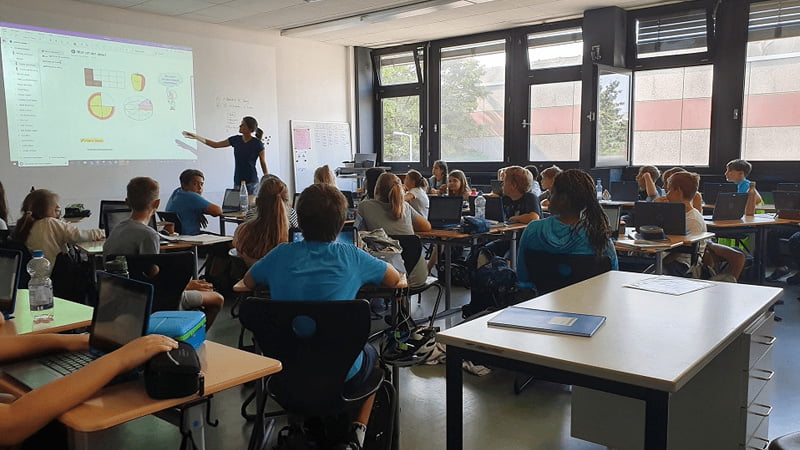
An interactive whiteboard is a dynamic tool that displays computer images via a digital projector. These images can then be manipulated by the presenter using their finger or a stylus as a mouse, directly on the surface. If you’re wondering how to make a whiteboard interactive without spending a fortune, keep reading.
How to Make a Whiteboard Interactive on a Budget
Fortunately, there’s a high-quality alternative that doesn’t break the bank. Use a high-quality interactive projector paired with specialized projectable whiteboard wall solution like Projector Whiteboard Wallpaper. This innovative surface allows you to write and project images, making your wall a multi-purpose interactive space.
What Do You Need for an Interactive Whiteboard?
Before looking at how to make a whiteboard interactive, you’ll need:
- Whiteboard Surface: Use Projector Whiteboard Wallpaper to create a writeable wall that you can project on to with low glare.
- High-Quality Projector: The right projector is essential. Look for one that’s easy to connect to your computer and provides clear, bright images. Checkout the BenQ MX825STH Projector if you’re looking for a top quality, but good value interactive projector
- Computer: Any laptop or desktop with projection capabilities will work.
Interactive Software: Depending on your needs, you may want software that allows for real-time editing and collaboration. - Connectivity Cables: HDMI or VGA cables to connect the computer to the projector
- Stylus or Interactive Pens: For added functionality, some people choose to use interactive pens that can work as a mouse when you touch them to the whiteboard surface.
- Whiteboard Markers: Not just any markers will do when you’re learning how to make a whiteboard interactive. Choose high-quality dry-erase markers for clear, vibrant writing that’s easily visible from a distance. Opt for markers that are easily erasable to maintain the quality of your interactive whiteboard.
- Cleaning Supplies: Microfiber cloths, erasers, and whiteboard cleaners are essential for maintaining a clean writing surface.
How to Make a Whiteboard Interactive – Step-By-Step Guide
Turning a whiteboard into a smart board involves more than just technology; the right surface is also crucial. Here’s how to make a whiteboard interactive using Smart Whiteboard Wallpaper. Follow this step-by-step guide for seamless application and optimal results.
Step 1: Preparing the Walls for Wallpaper Application
Before diving into how to make a whiteboard interactive, you must prepare the surface:
- Protect the Floor: Cover the floor with plastic or another suitable protective material.
- Wall Inspection: Fill any holes or cracks with a decorator’s filler.
- Clean the Wall: Remove old wallpapers and ensure the wall is clean and dry. Sand out any rough surfaces and apply a primer like Smart White Primer.
Step 2: Measure & Mark
Here’s the next step in how to make a whiteboard interactive:
- Horizontal Application: Mark a straight, level, horizontal line 1.22m above the floor across the wall. This will guide the bottom edge of the first wallpaper section.
Step 3: Preparing the Wallpaper
- Cutting: Roll the wallpaper out on the protected floor, backing facing up, measure, and cut with sharp scissors.
Step 4: Apply Adhesive
- Preparation: Dilute the heavy-duty adhesive with 10% water, if required, and stir for a smooth consistency.
- Application: Apply two coats of adhesive to the wall using a roller.
Step 5: Applying the Smart Whiteboard Wallpaper
- First Length: Roll the cut wallpaper section back up, ensuring it doesn’t crease, and align it with the pencil mark at 1.22m. Unroll it while pushing out any air bubbles.
- Next Lengths: Use butt jointing to attach additional sections. Apply extra adhesive where necessary and use a spatula to eliminate air bubbles.
Step 6: Post-Application
- Allow to Dry: Wait 24 hours for the adhesive to dry before using the surface.
- Inspect the Surface: After 30 minutes, check for bubbles and press them out with a spatula.
Step 7: Maintaining Your Smart Surface
Now that we’ve covered how to make a whiteboard interactive, maintaining your new smart surface is the final step:
- For optimal results, use high-quality accessories like those available from Smarter Surfaces or a reputable local partner.
- Clean the surface regularly with a Smart Micro-Fibre Eraser Cloth and specific cleaning fluids.
Turning your whiteboard into a smart board is simpler than it seems. After applying Projector Whiteboard Wallpaper and securing your projector, connect it to your computer. Use interactive software to enable touch capabilities, and that’s it. You’ve turned your whiteboard into a smart board.
Why is My Interactive Whiteboard Not Interactive?
If you’ve followed the above steps for how to make a whiteboard interactive but are still having issues with interactivity, here are some common problems to check:
- Connectivity Issues: Ensure all cables between the computer and projector are securely connected.
- Calibration: Some systems require periodic calibration to maintain touch accuracy.
- Software Glitches: Make sure your interactive software is updated and compatible with your hardware.
- Projector Problems: Ensure the projector is correctly focused and aligned with the whiteboard.

Ways to Maximize Your Interactive Whiteboard Usage
- Collaborative Web Design: Forget huddling around a tiny computer screen. Project your website onto the interactive wall and show your team exactly what changes are needed.
- Real-Time Brochure Updates: Similarly, project your brochures to get immediate feedback. Make real-time edits for everyone to see, thereby boosting teamwork and communication.
- Efficient Meetings: Project your meeting agenda, and have team members write their names next to tasks they’re responsible for. A quick photograph later, and you’ve got a digital record.
- Engaging Presentations: Use the interactive whiteboard to make your presentations more engaging. Audience members can interact directly with the projected content, making meetings and lessons more dynamic.
Now that you know how to make a whiteboard interactive, there’s nothing holding you back. Upgrade your space today with Projector Whiteboard Wallpaper and experience the future of interactive presentations and collaborations.

by sefali | Oct 19, 2020 | Blog
In today’s fast-paced world, your workspace needs to be as dynamic and flexible as you are. A whiteboard desk is the game-changer you didn’t know you needed. Not only does it make your office or classroom more interactive, but it also helps in keeping you organized. Forget Post-its and scribbles on notepads; write directly on your desk and erase when done. The question that arises now is, “How do I turn my desk into a whiteboard?”
Benefits of Having a Whiteboard Desk in the Office
A whiteboard desk is not just another desk; it’s a productivity powerhouse. Imagine being able to jot down your to-dos, sketch out ideas, or even write down phone numbers directly onto your desk. Not only is it a fun way to take notes, but it’s also incredibly convenient.

- Clutter-Free Workspace: Erase your scribbles when you’re done, and your desk is as clean as new! Say goodbye to a messy desk filled with papers and sticky notes.
- Environmental Benefits: Not only are you saving paper, but you’re also contributing to a more sustainable workspace.
- Enhanced Collaboration: Team meetings become more interactive and productive when everyone scribbles their thoughts onto the table.
Reinvent your workspace with Self Adhesive Whiteboard Film. This high-performing film from Smarter Surfaces transforms any piece of office furniture into a dry erase surface without any hassle.
How a Whiteboard Desk Can Transform Education
Schools are increasingly realizing the benefits of integrating a whiteboard desk into classrooms. The versatility it provides is unmatched.
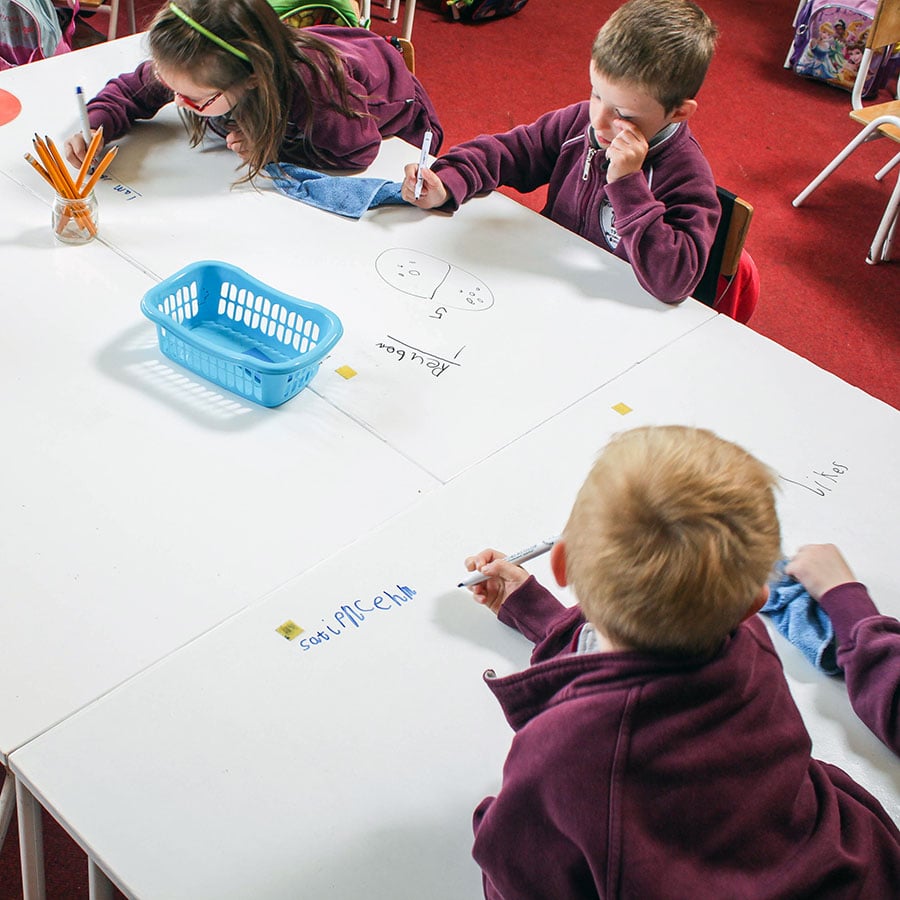
- Engagement: Students can perform calculations, write answers, and even draw right on their desks. It makes the learning process interactive and fun.
- Sustainability: Like in an office setting, using a whiteboard desk in educational environments also significantly reduces paper waste.
- Convenience for Educators: Teachers can use their own writable desks for creating lesson plans, to-do lists, or leaving notes for the next teaching day.
If you’re looking to turn desks into writable, projectable surfaces, consider using Smart Self Adhesive Projection Whiteboard Film – Low Sheen. Not only does it convert the desk into a writable surface, but it also allows for projections, enhancing the educational experience.

How to Turn Your Desk into a Whiteboard Desk: Step-by-Step Guide
Wondering how to convert your standard desk into a functional whiteboard desk? Let’s break down the process using Smart Self Adhesive Whiteboard Films. The films come in three types: White, Clear, and Projectable. Each offers its own set of benefits, from easy installation to compatibility with various projectors.
Step 1: Prepare The Surface
Before you get started with the transformation, ensure the surface of your desk is suitable for Smart Self Adhesive Whiteboard Films. Your desk surface should be smooth, non-absorbent, and clean. This ensures that the film adheres perfectly so the result is a seamless whiteboard desk.
Step 2: Measure & Cut Self Adhesive Whiteboard Desk Film
Measure the dimensions of your desk carefully. Cut the Smart Self Adhesive Whiteboard Desk Film to fit the required area, leaving an extra 2 cm around each edge for trimming to your new whiteboard desk.
Step 3: Apply Whiteboard Desk Film
Smart Self Adhesive Whiteboard Films are self-adhesive and come with a removable backing. Begin the application by placing the film, without removing the backing, over your desk. Then:
- Start removing the backing uniformly, about 8-10 cm at a time.
- Use a microfiber cloth to press the film evenly onto the desk surface, making sure no air bubbles are trapped.
- Continue this process, pulling the backing away as you go along.
If air bubbles do form, simply peel back the film gently, remove the air bubble, and continue.
Step 4: Trim to Size
Using a very sharp knife or blade, cut the film at a 45-degree angle, using the edge of the surface as a guide. This will help you get a smooth, clean edge.
Step 5: How to Joint Whiteboard Desk Films
If your desk is large and requires more than one sheet of whiteboard desk film, you’ll need to joint the films. Here’s how:
- Apply the first section of film as described above.
- Overlap the second section by about 3 cm.
- Double-cut through both layers of the film at the center of the overlap.
- Remove the trimmed material and the backing from the second section.
- Use a microfiber cloth to press the material back together tightly.
Transform any surface with Smart Self Adhesive Whiteboard Film – Clear. Ideal for maintaining the original look of your desk while adding functionality, this transparent film is a great choice.
Step 6: Maintain Your Surface
Your new whiteboard desk needs maintenance just like any regular whiteboard. Use high-quality markers and cleaning fluids for the best experience.
How to Choose the Right Whiteboard Film for Your Desk
Now that you know how to apply a Smart Self Adhesive Whiteboard Film, you might be wondering which type of film is best suited for your needs to create your whiteboard desk. The answer depends on various factors such as whether you’ll be using projectors, the desk material, and your personal aesthetic preferences.
For Immediate Transformation
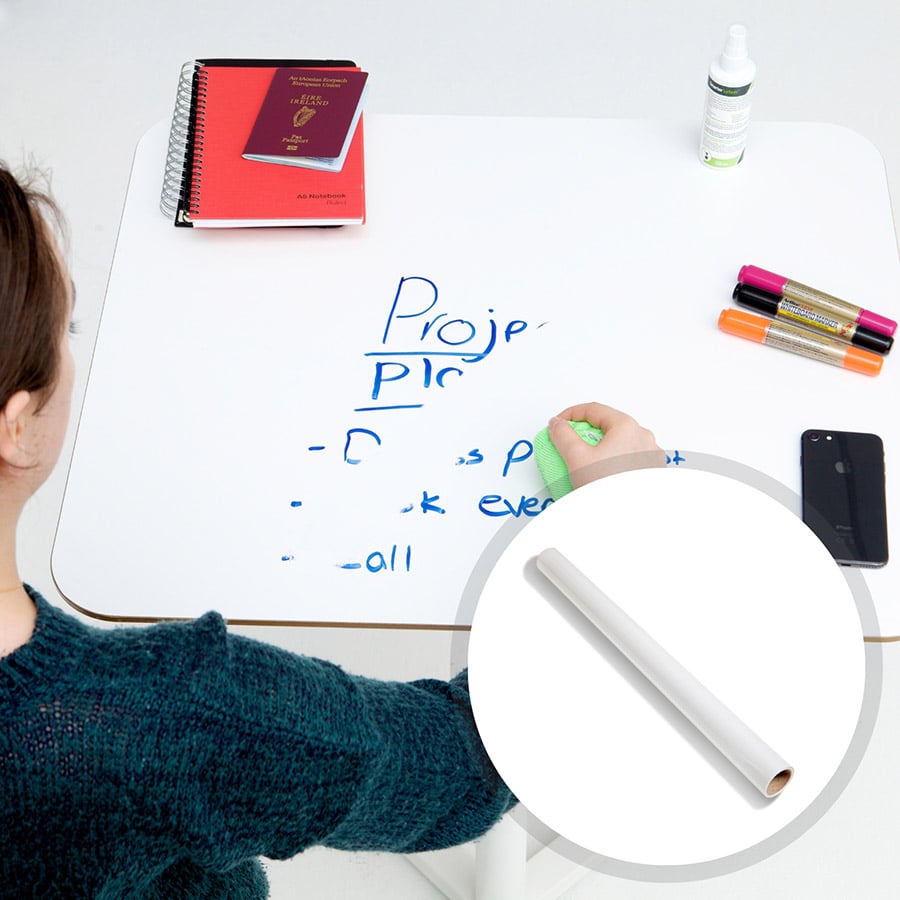
In cases where you are looking for immediate results with the least amount of fuss, our standard Self Adhesive Whiteboard Film offers easy installation and immediate usability. Perfect for those who want to quickly turn their desk into a whiteboard desk without worrying about additional features like projection capabilities.
For Preserving the Original Look of Your Desk
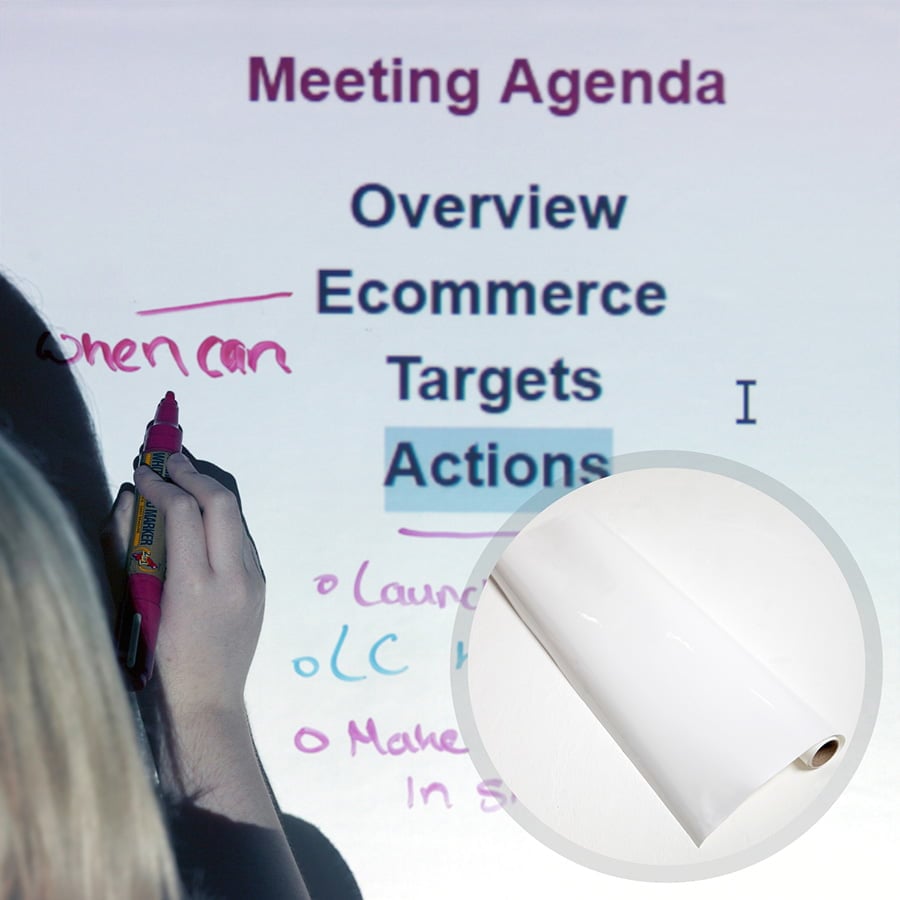
For those who want to maintain the original color or design of the desk, Smart Self Adhesive Whiteboard Film – Clear is an excellent choice. This transparent film turns your desk into a functional whiteboard desk without altering its look.
For Projection Capabilities
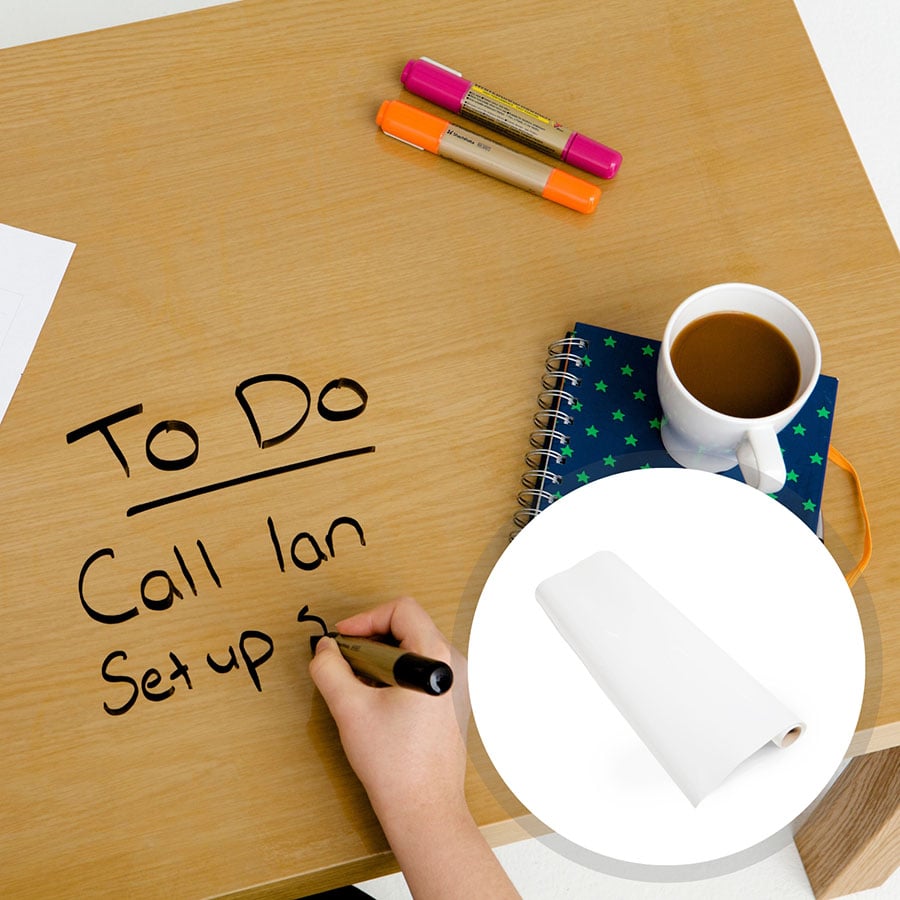
If you’re in an educational setting or an office where you anticipate projecting visuals onto the desk, Smart Self Adhesive Whiteboard Film – Low Sheen is your go-to option. It is designed to be both writable and projectable, offering an interactive experience unlike any other. Its compatibility with various projectors also makes it a versatile choice.
Maintenance and Care for Your Whiteboard Desk
Once you’ve successfully turned your desk into a whiteboard desk, you’ll want to make sure it lasts a long time while maintaining its functionality.
- Use the Right Markers: Always use high-quality, non-permanent markers for best results. Low-quality markers may stain the surface.
- Cleaning: Use a whiteboard cleaner or a damp cloth to remove the writings. Do not use abrasive cleaners as they can damage the surface.
- Regular Checks: Make it a habit to check the surface regularly for any wear and tear. Any damage should be repaired immediately to extend the lifespan of your whiteboard desk.
Environmentally-Friendly and Sustainable
One of the most appealing benefits of a whiteboard desk is its environmentally friendly nature. Not only are you reducing paper waste, but these films are also stain-resistant, odor-free, and contains no volatile organic compounds (VOCs). Apply with ease, even with people in the same room.
The Whiteboard Desk Revolution
The traditional workspace and classroom are undergoing a transformation, and the whiteboard desk is at the forefront of this revolution. Whether in an office setting, where project planning and brainstorming are integral, or in educational institutions, where engagement and interaction are key, a whiteboard desk serves as an innovative tool for modern-day needs.
The journey to turn your desk into a functional whiteboard desk is simple, quick, and incredibly rewarding. All it requires is choosing the right kind of Smart Self Adhesive Whiteboard Film and following a few simple steps to apply it. And voila; your very own whiteboard desk is ready to elevate your productivity and transform how you work or learn.
by sefali | Oct 19, 2020 | Blog
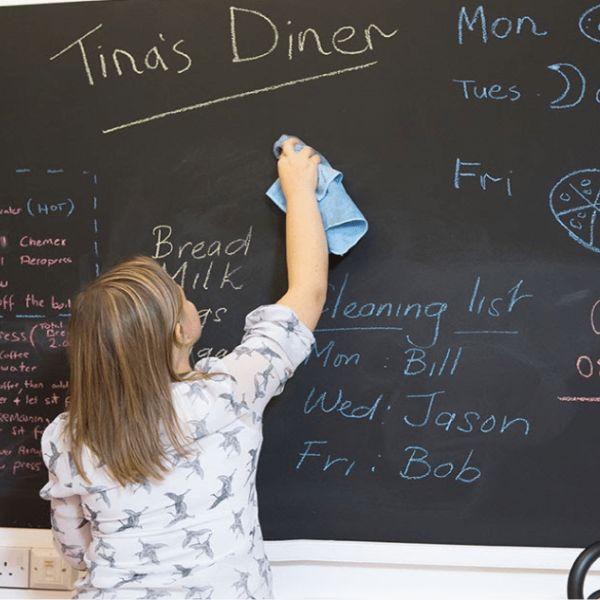
So you love your chalkboard, right? Its sleek, black finish makes for the perfect canvas for doodles, reminders, and even educational lessons. But what about the pesky chalkboard dust and occasional smears from chalk markers or crayons? Don’t worry, this comprehensive guide will answer all your questions on how to clean a chalkboard, how to get chalk marker off, and much more.
What You’ll Learn:
Are you fed up with chalk dust but love the classic black finish of your chalkboard? Whether you’re an educator with a classroom full of chalkboards, a business owner displaying daily specials, or a parent with a chalkboard wall at home, knowing how to clean a chalkboard is essential for a smooth, clean surface. In this comprehensive guide, we’ll explore various methods, tips, and best practices to keep your chalkboard clean and dust-free.
A Quick Step-by-Step Guide on How to Clean a Chalkboard
For those who want a quick, efficient way to clean their chalkboard, here’s a step-by-step guide on how to clean a chalkboard using the most common method:
Supplies
- Clean chalkboard eraser
- Microfiber cloth
- Dish soap (optional)
- Warm water
- Bucket
Step 1: Initial Erasing
Begin with a clean eraser. Starting in the upper left-hand corner, wipe the board up and down, moving across the board until you reach the upper right corner. This method ensures chalk dust doesn’t stick to the surface in irregular patterns.
Step 2: Wipe with Microfiber Cloth
Take a clean microfiber cloth and give the board another wipe down, following the same motion as with the eraser. This additional pass helps remove any leftover chalk residue.
Step 3: Prepare a Cleaning Solution (Optional)
Next, prepare a cleaning solution. Mix a few drops of dish soap with warm water in a bucket. If you don’t have any, just some water will do.
Step 4: Wipe with Damp Cloth
Dip a clean microfiber cloth into the solution and wring it out well. Wipe down the chalkboard surface, applying extra pressure on stubborn areas. If you didn’t use a cleaning solution, just a damp cloth will do.
Step 5: Rinse
Rinse the cloth with clean water and wipe the chalkboard to remove any soap residue.
Step 6: Dry
Finally, wait for the board to air-dry completely before using it again. It’s vital that you don’t write on even a damp board.
How to Clean a Chalkboard: Alternative Methods & Hacks
Understanding how to clean a chalkboard also means knowing various methods you can employ. While the traditional erasing technique is timeless, sometimes we need a bit more firepower to tackle stubborn chalk stains or build-up.
Cleaning Blackboards Made From Chalkboard Paint

If you have a blackboard made from chalkboard paint, you’re in luck. These surfaces are incredibly easy to maintain and integrate seamlessly into any space. All you need to do is follow the previous step-by-step guide on how to clean a chalkboard. The paint is not only durable but also an environmentally-friendly option with very low VOC levels. If the chalkboard starts to wear out after years of use, a new coat of chalkboard paint will easily restore it.
Cleaning with White Vinegar
White vinegar isn’t just for cooking; it’s a powerful cleaner. Here’s how to clean a chalkboard with vinegar:
- Preparation: Fill a bucket with 6 cups of warm water and add a cup of white vinegar. For extra cleaning power, you can also add a few drops of dish soap.
- Wipe: Dip a microfiber cloth into the solution, wring it out well, and then wipe down the board.
- Rinse and Dry: Use a damp cloth to rinse the board. Air-dry the board before using it again.
Lemon Oil Freshness
Need your chalkboard not only to look clean but also smell amazing? Then consider using lemon oil.
- Preparation: Add about 2 teaspoons of lemon oil to a cloth.
- Marinate: Fold the cloth into fourths and place it in a sandwich bag. Allow it to marinate overnight.
- Wipe: Use the cloth to wipe down a board that has been cleaned with an eraser.
Cleaning with Coca-Cola: A Surprising Solution
You might think it’s unconventional to clean a chalkboard with Coca-Cola, but this method can be surprisingly effective. Here’s how to clean a chalkboard using this popular beverage:
- Preparation: Grab a bottle of Coca-Cola and a microfiber cloth.
- Wet the Cloth: Dampen a cloth with water and wring it out well. Apply a bit of Coca-Cola to the cloth. Make sure it’s not dripping but just damp with the beverage.
- Wipe Down: Gently wipe down the chalkboard, paying special attention to areas with more stubborn chalk residue.
- Rinse and Dry: Use another damp cloth to rinse the board. This is important to ensure no stickiness is left behind. Allow the board to air-dry before using it again.
Note: If you’re concerned about the Coca-Cola leaving any stickiness or residue, you can do a final wipe-down with a cloth dampened in clean water.
How to Clean a Chalkboard: Removing Stubborn Marks from Your Chalkboard
How Do You Get Chalk Marker Off a Chalkboard?
If you’ve used chalk markers on your chalkboard and find them harder to remove than traditional chalk, don’t worry. Here’s how to clean a chalkboard marred by chalk markers.
Method One:
- Initial Cleaning: Start off by using a damp micro fibre cloth to remove as much of the chalk marker as you can.
- Vinegar Solution: If the micro fibre cloth doesn’t fully remove the marker, prepare a cleaning solution consisting of 70% water and 30% vinegar.
- Application: Spray or apply this mixture on the affected area, let it sit for a few minutes, and then wipe it off.
Method Two:
- Use Windex: Spray the area generously.
- Let it Sit: Allow the cleaner to sit for about 5 minutes.
- Wipe Away: Use a microfiber cloth to wipe away the marker. Repeat the process if necessary.
Always remember to test any cleaning agents on a small, hidden area of your chalkboard first to make sure they won’t cause any damage.
How Do You Get Permanent Marker Off a Chalkboard?
If someone has accidentally used a permanent marker on your chalkboard, here are the steps for removal:
- Rubbing Alcohol: Dampen a cloth with a bit of rubbing alcohol (isopropyl alcohol.)
- Gentle Wipes: Wipe the area with the marker gently.
- Rinse: Use another cloth dampened with water to rinse the area.
- Dry: Allow the chalkboard to air-dry.
How Do You Get Crayon Off a Chalkboard?
Children might get creative and use crayons on a chalkboard. Here’s how to clean it:
- Scrape Off: Gently scrape off as much crayon as you can using a plastic scraper.
- Dish Soap: Mix a few drops of dish soap with warm water.
- Wipe Down: Use a cloth dampened in this solution to wipe down the board.
- Rinse and Dry: Finally, rinse the area with a clean cloth and let it dry.
How Do You Get Sharpie Off a Chalkboard?
A Sharpie can be particularly stubborn, but it’s not impossible to remove:
- Acetone or Nail Polish Remover: Apply a small amount to a cloth.
- Rub: Rub the marked area gently. The Sharpie should start to lift.
- Water Rinse: Rinse with a cloth dampened in clean water.
- Dry: Let the board air-dry.
How to Avoid Chalk Dust
Chalk dust can be a nuisance, especially for people with allergies or asthma. Even if you follow every tip on how to clean a chalkboard effectively, you might still struggle with the inevitable dust that accompanies traditional chalk use. Here are some steps to minimize this problem:
Use Quality Erasers
Invest in an all-felt or microfiber eraser that captures chalk dust more effectively than cheaper versions. Shake out and clean the eraser regularly to ensure it works efficiently.
Regular Cleaning
Routine cleaning can help prevent the build-up of chalk dust on the board and the surrounding areas. If you find chalk dust hard to manage, Smart Chalkboard Paint is easy to maintain and wipe down, making your chalkboard surface as efficient as possible with minimal dust.
Opt for Dust-Free Chalk
Some brands offer “dust-free” or “low-dust” chalk that significantly reduces the amount of dust produced during writing. This is a convenient option for those who want to minimize cleaning.
Use a Chalk Holder
Chalk holders not only make it easier to write but also contain most of the dust that would otherwise fall.
Switch to Liquid Chalk or Chalk Markers
For a completely dust-free experience, consider switching to liquid chalk or chalk markers. These can be a bit harder to erase (you may need a damp cloth), but they eliminate the dust issue.
Write Gently
Applying too much pressure while writing can produce more chalk dust. Try to use a gentle grip and softer strokes to minimize this.
Install a Chalk Rail or Tray
If you don’t already have one, installing a chalk rail or tray can catch some of the falling chalk dust, making it easier to clean up later.
How to Clean a Chalkboard – Expert Tips for Maintaining a Clean Chalkboard
A clean, well-maintained chalkboard is not just a tool but a source of joy whether you’re a teacher, a parent, or anyone who enjoys the tactile experience of writing with chalk. By now, you’re familiar with various methods on how to clean a chalkboard, but let’s level up your chalkboard maintenance game with some expert tips.
Daily Maintenance Is Key
Regular cleaning is vital for extending the lifespan of your chalkboard. Make it a habit to clean your erasers every day by clapping them together to remove excess chalk, followed by a wipe-down with warm water.
Choose the Right Eraser
Opt for an all-felt eraser, as it effectively removes chalk, leaving you with a cleaner surface to work on.
Non-Abrasive is the Way to Go
For stubborn stains, stick to non-abrasive cleaners to preserve the quality of your chalkboard surface.
Don’t Write on a Damp Surface
A cardinal rule when it comes to chalkboard maintenance is to avoid writing on a wet surface. The chalk will adhere more firmly, making it much harder to erase later.
Specialized Cleaning Tools
If you’re serious about maintaining your chalkboard, invest in special chalkboard cleaning cloths. Available at most teacher supply stores, these cloths offer a convenient and effective way to keep your board clean.
Beware of Ghosting
Chalk residue that’s left behind even after cleaning can create a ‘ghosting’ effect, which can accumulate over time and affect visibility. Knowing how to clean a chalkboard thoroughly helps in preventing this issue.
Make Smart Choices with Smart Chalkboard Paint
If you’re looking for a durable, easy-to-maintain chalkboard surface, Smart Chalkboard Paint offers a cost-effective, environmentally friendly option that seamlessly integrates into any space.
By investing a little time in understanding how to clean a chalkboard, you not only extend its life but also enhance its usability. With these tips and your newfound knowledge on chalkboard maintenance, feel free to write, draw, and brainstorm to your heart’s content. Happy writing.
